GPS Photo & Video Stamp Camera - iPhone & Android

Say it. Stamp it. Done.

Shoot a photo or record a video, speak your notes, and Stampr burns GPS coordinates, timestamps, and your transcribed voice notes right into the footage. No typing. No forgetting. Just talk and shoot.
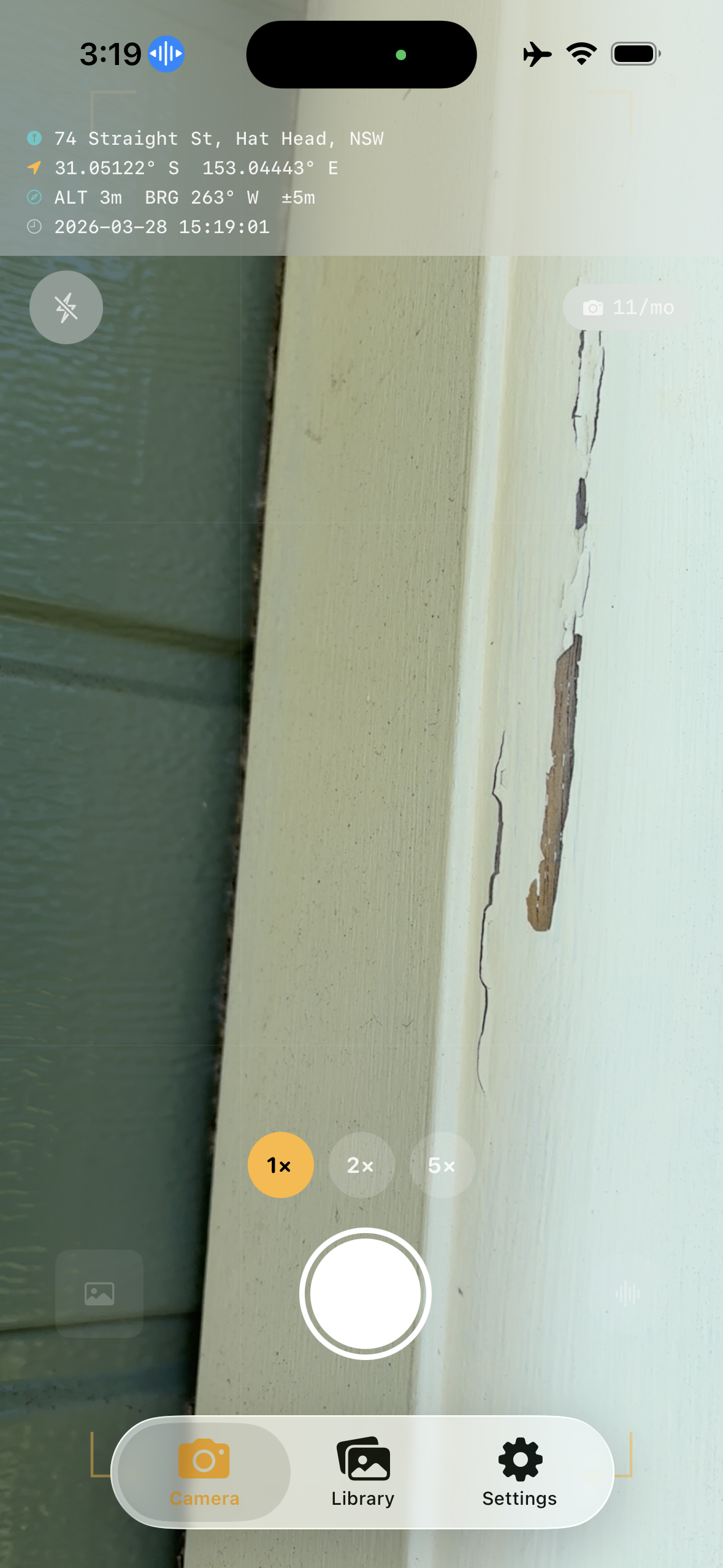
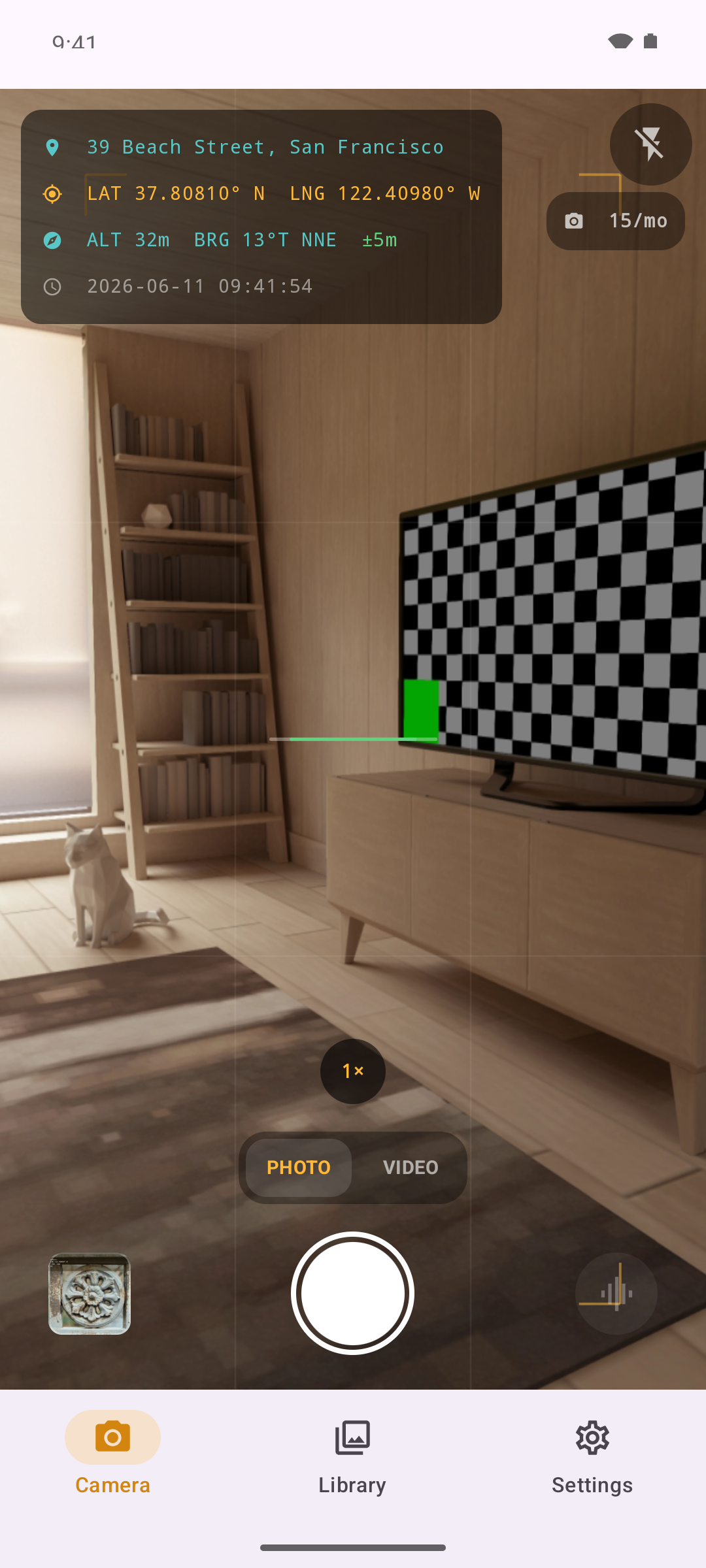
Stampr iOS live camera with GPS overlay showing coordinates, address, and bearing iPhone
Stampr Android camera with GPS stamp overlay Android
GPS Stamped
Photo & Video
Voice Notes
PDF Reports
No Subscription
100% Private

Every photo stamped with precise location data

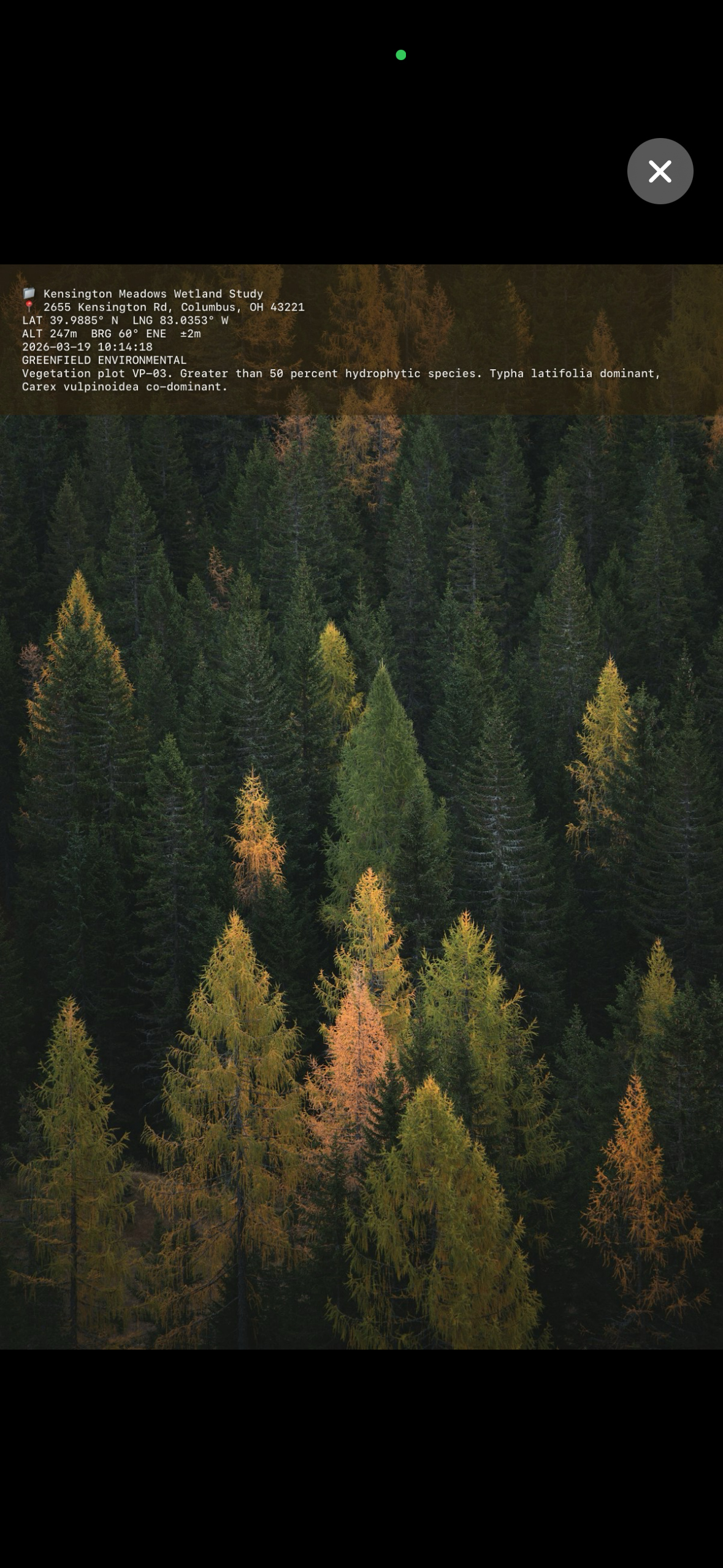
Stampr burns GPS coordinates, street address, altitude, compass bearing, timestamp, and your project name directly onto each photo. GPS data is also embedded in the EXIF metadata, so your shots pin correctly in Photos, GIS software, and claims tools.

  • Decimal, DMS, UTM, and MGRS coordinate formats
  • Altitude in metres or feet, true or magnetic north
  • GPS accuracy colour-coding with optional fix lock
  • Capture time zone kept on the stamp and in EXIF
Stampr GPS stamp overlay showing coordinates, address, altitude, and bearing

Record video with GPS burned into every frame

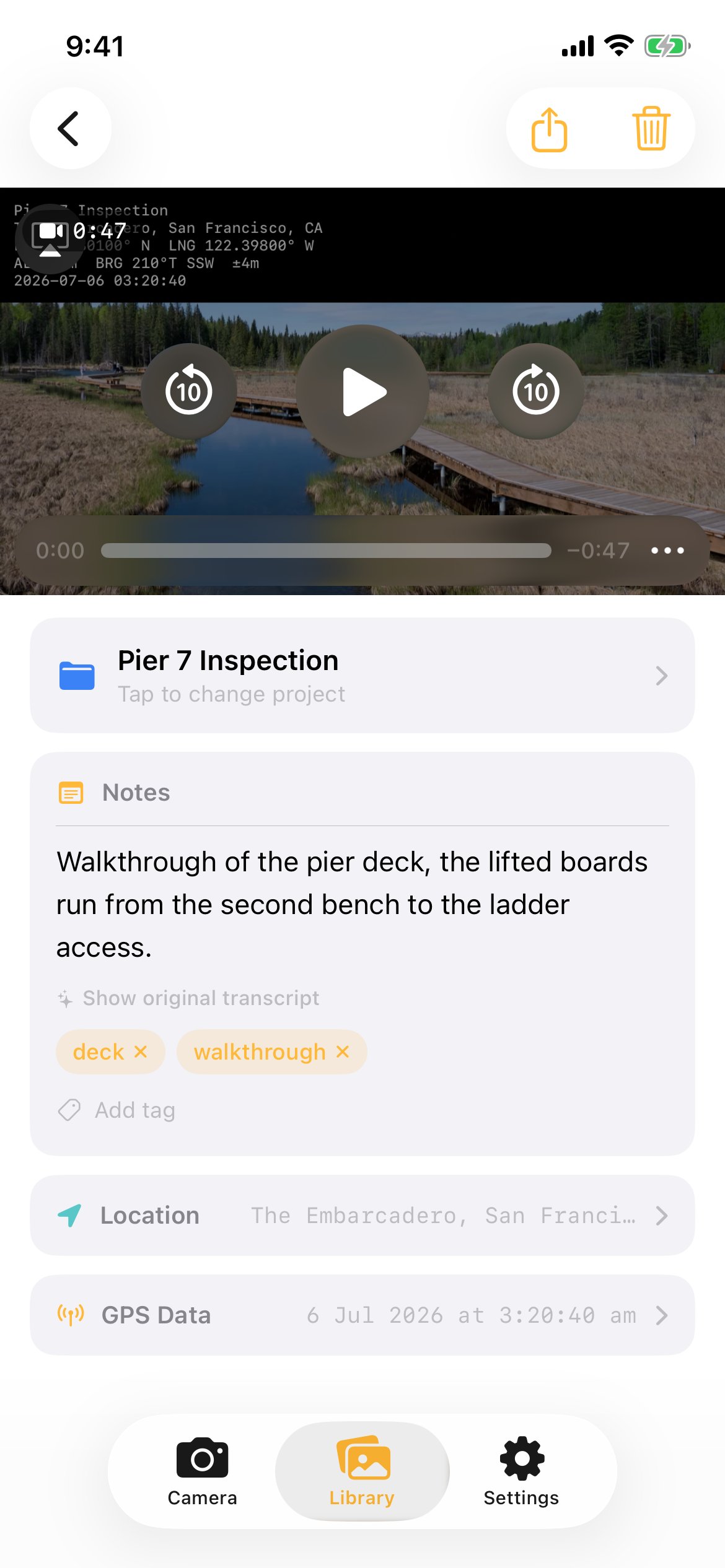
Switch to video mode and capture a walkthrough. Stampr freezes the GPS stamp, project name, address, altitude, bearing, and time at the moment you hit record and burns it right into the footage, so the location travels with the clip even after it leaves the app. The soundtrack is transcribed on-device into a searchable, editable note, exactly like your photo voice notes.

  • Stamp band rendered into the video, not just the metadata
  • Soundtrack auto-transcribed into a searchable note
  • Clips land in the same projects, PDF reports, and exports as your photos
Stampr video playback with the GPS stamp band burned into the footage and a transcribed walkthrough note

Speak your observations. They're stamped on the photo.

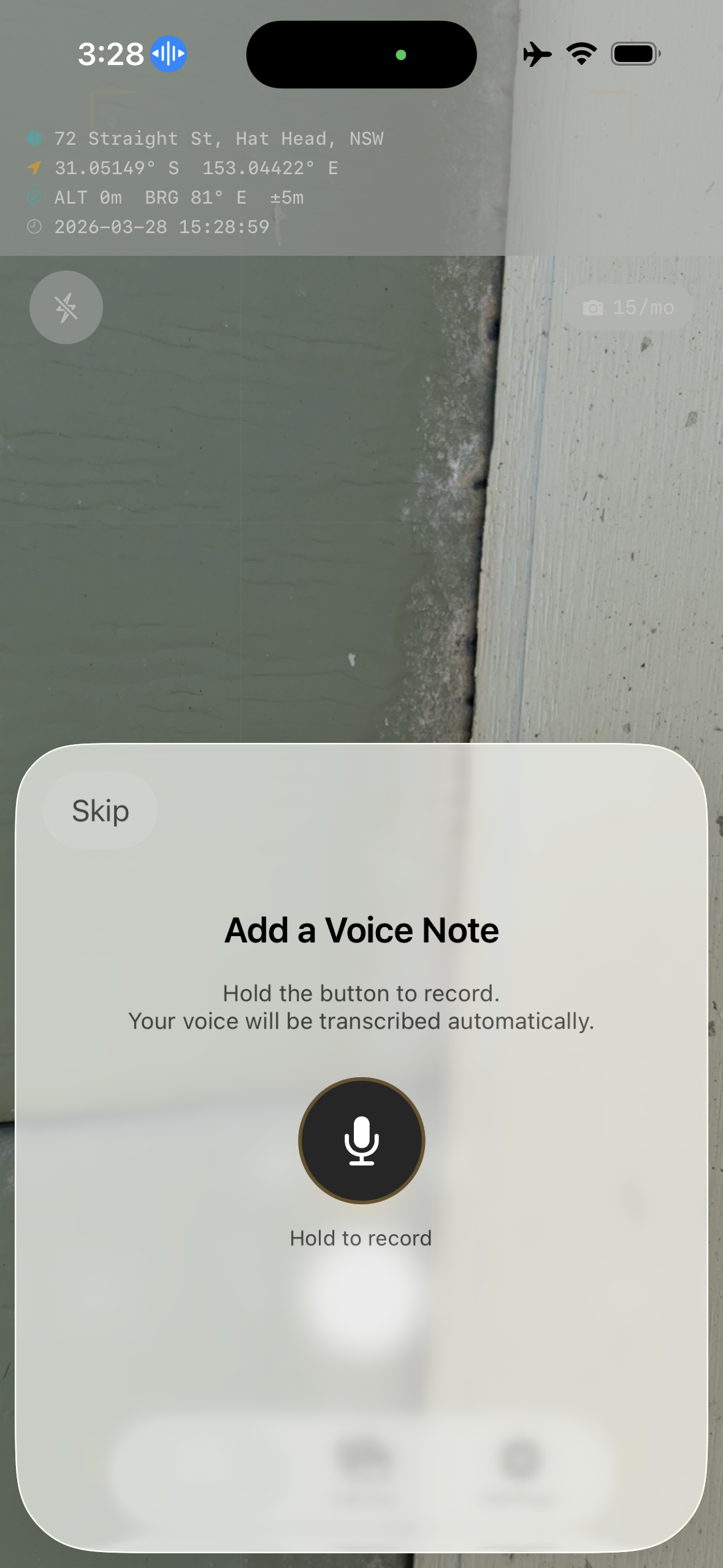
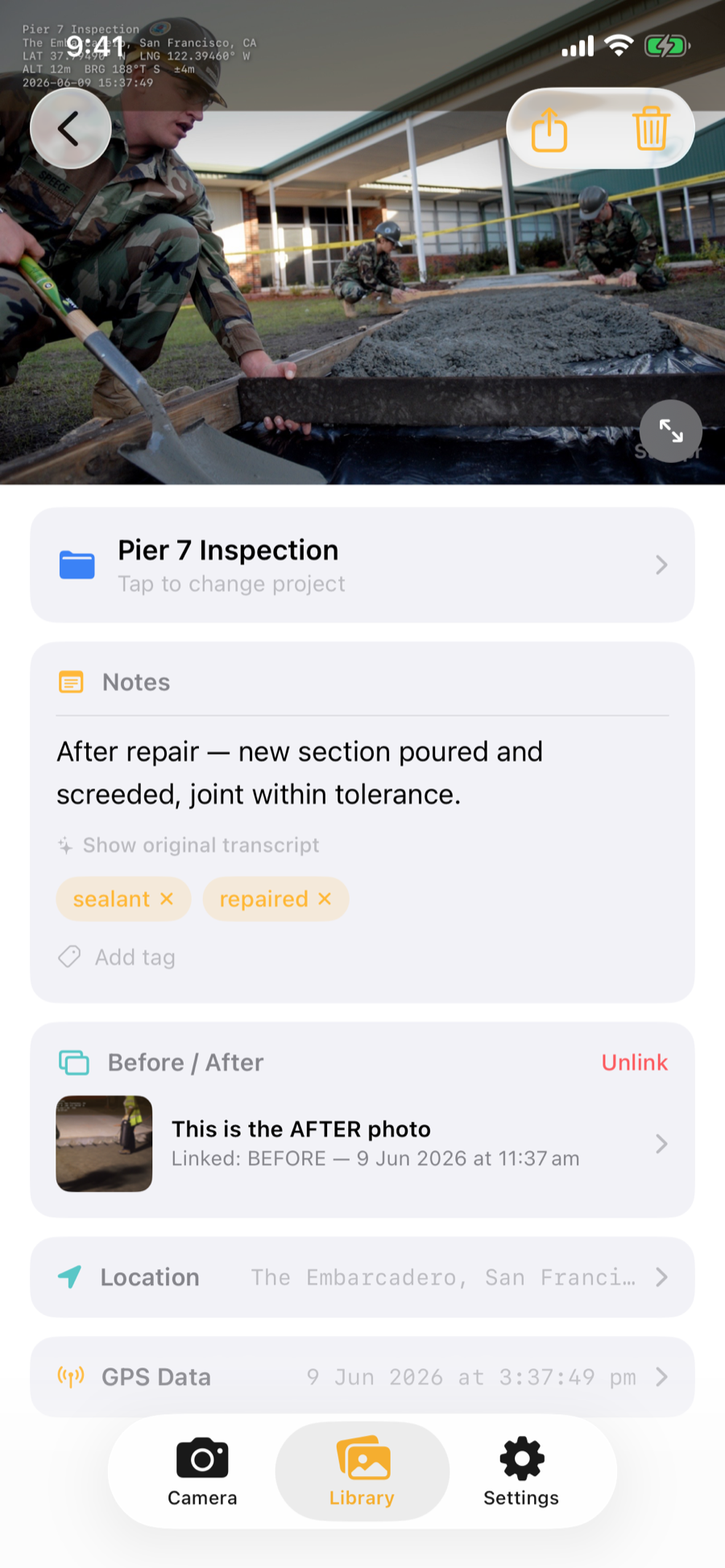
Record a voice note after each shot. Stampr transcribes it on-device and stamps the text directly onto the image. On supported devices, on-device AI tidies the dictation into a clean caption with suggested tags. Cleanup only removes dictation artifacts, it can never invent content, and the verbatim transcript is always kept.

  • Hands-free mode for when you're wearing gloves
  • AI cleanup and auto-tags, fully on-device
  • Play back original audio anytime
Stampr voice note recording with live transcription

Every photo in its place. Every project at your fingertips.

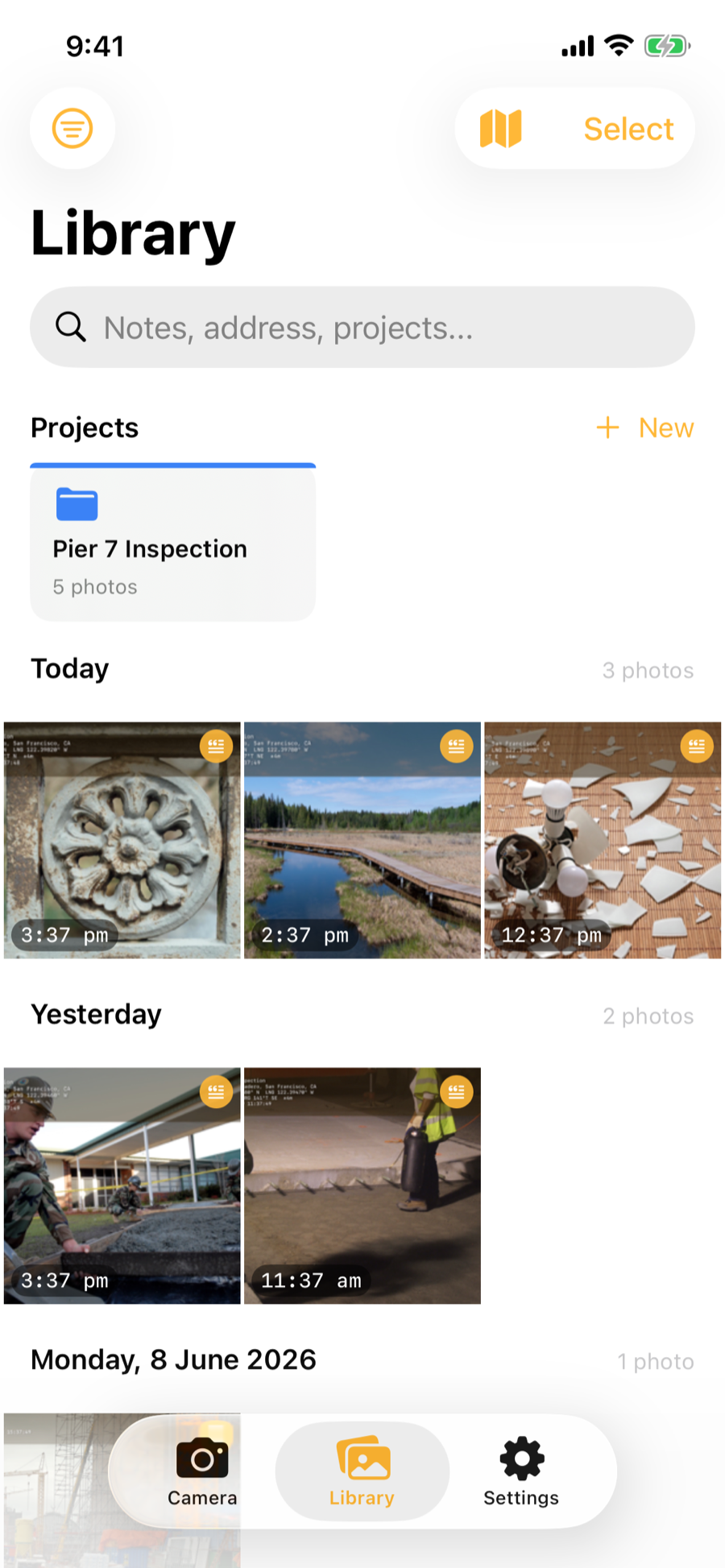
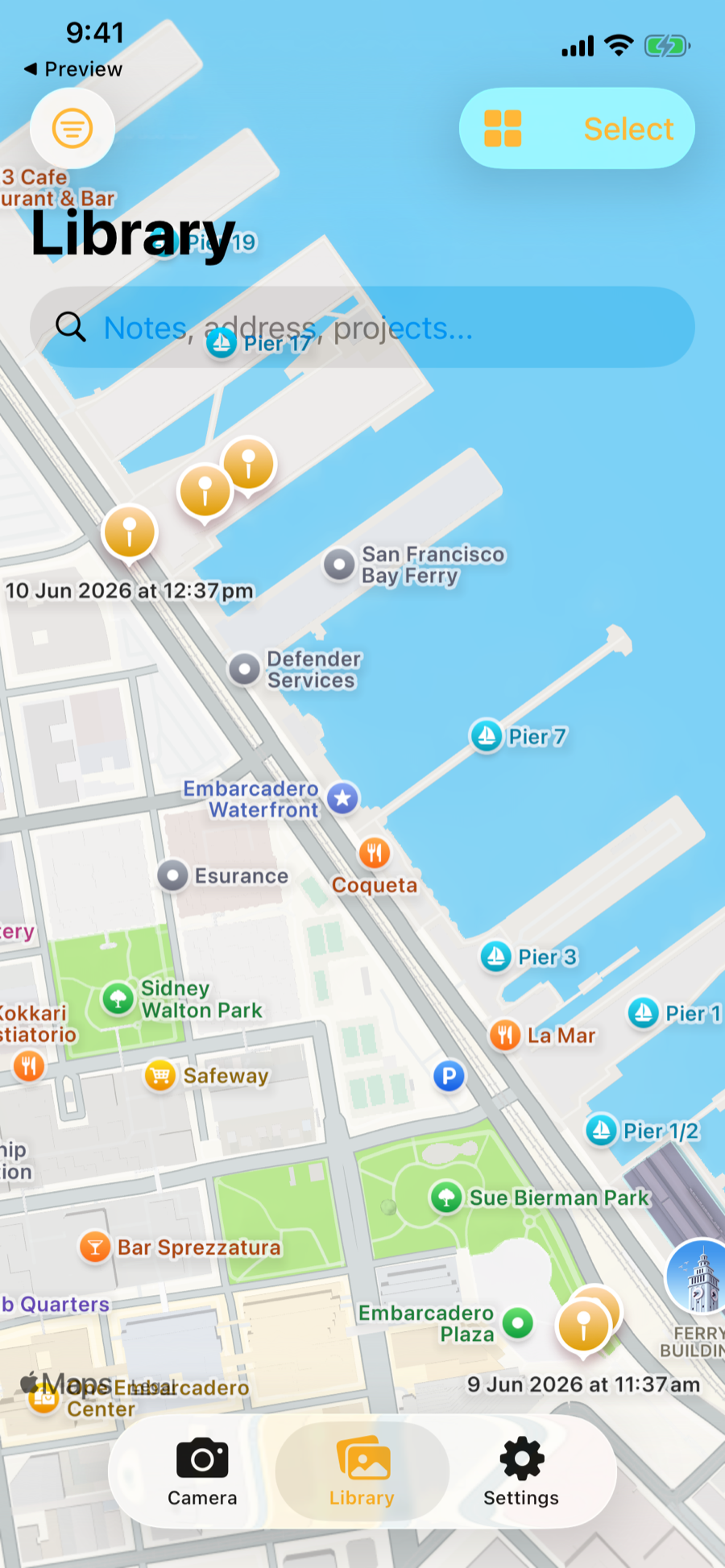
Group photos into colour-coded projects. Set a default project so every new capture is filed automatically. Toggle between a photo grid and an interactive map to see exactly where each shot was taken. Sort newest or oldest first and filter by date, project, or tag.

  • Colour-coded projects with automatic filing
  • Interactive map view with location pins
  • Search across notes, addresses, and tags
  • Private iCloud sync on iPhone, so work carries to a new phone
Stampr library with project cards, filter and sort buttons, and a photo grid grouped by day

Professional PDF reports in one tap

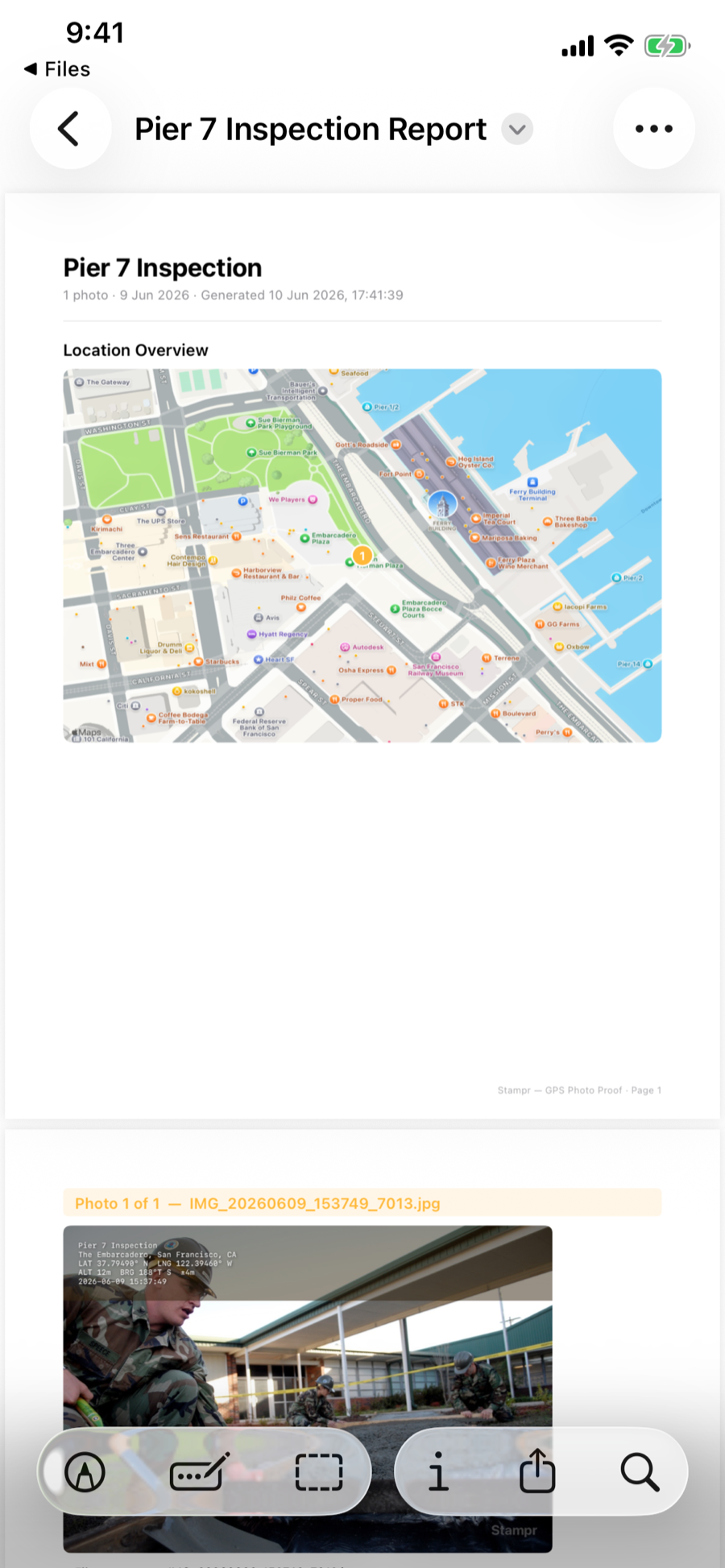
Share stamped photos and videos individually or in bulk. Stampr generates a professional PDF with embedded photos in chronological order, video entries with their own metadata, a map overview with numbered pins, accurate page numbering, and full metadata for every shot. Export project data as CSV, KML, or GeoJSON for spreadsheets, Google Earth, and GIS tools.

  • PDF reports with cover page, map, and metadata
  • CSV, KML, and GeoJSON export
  • Share project files (.stamprproj) with teammates
Stampr PDF report with map overview and stamped photos

Three steps. Zero paperwork.

From pocket to documented photo in seconds. No typing, no forms, no desktop required.

📸

Snap

Shoot a photo or record a video. Stampr captures it with precise GPS coordinates, address, altitude, and bearing frozen at the exact moment of capture.

🎙️

Speak

Record a voice note. Your words are transcribed on-device and stamped directly onto the photo. Gloves on? Use hands-free mode.

📄

Share

Send stamped photos with a professional PDF report. GPS, notes, map, and metadata, all in one document your team or client can use immediately.

GPS-verified photos with context — without slowing down

Whether you're documenting a construction site or recording an insurance claim, Stampr replaces clipboards, notepads, and separate camera apps with a single workflow.

🏗️

Construction

Document progress, defects, and inspections with GPS-verified photos and video walkthroughs. Generate PDF reports for clients and compliance without leaving the site.

🛡️

Insurance

Capture claims evidence with tamper-proof GPS stamps and voice-noted observations. Before/after photo pairs streamline the adjustment process.

🌿

Environmental

Log vegetation plots, erosion sites, and habitat conditions with precise coordinates and stamped video. Export KML for GIS mapping and GeoJSON for analysis.

🏠

Property & Real Estate

Create branded property documentation with custom watermarks. Organize by listing and share professional reports with buyers and agents.

Designed for professionals who work outdoors

Camera view with live GPS overlay Stamped photo with GPS data GPS-stamped video playback with a transcribed walkthrough note Voice note recording Photo and video library with project cards, filter and sort buttons, and captures grouped by day Interactive map view with photo pins along the San Francisco Embarcadero Photo detail with stamp band, voice note transcript, and tags PDF report generation Settings with capture options, branding, and the iCloud Sync toggle

Two native apps. One workflow.

Stampr is built natively for each platform, with the same stamp format, projects, PDF reports, and exports on both. Here's what's specific to each.

Stampr for iPhone

Requires iOS 26.2 or later. Runs on iPhone and iPad.

  • Private iCloud sync: photos, projects, and voice notes carry to a new phone. Optional, switchable in Settings
  • On-device transcription with Apple Speech, AI cleanup with Apple Intelligence
  • Tap-to-focus with AE/AF lock, camera flip, off/auto/on flash, volume-button shutter
  • Action button, Siri, and Spotlight search of your notes
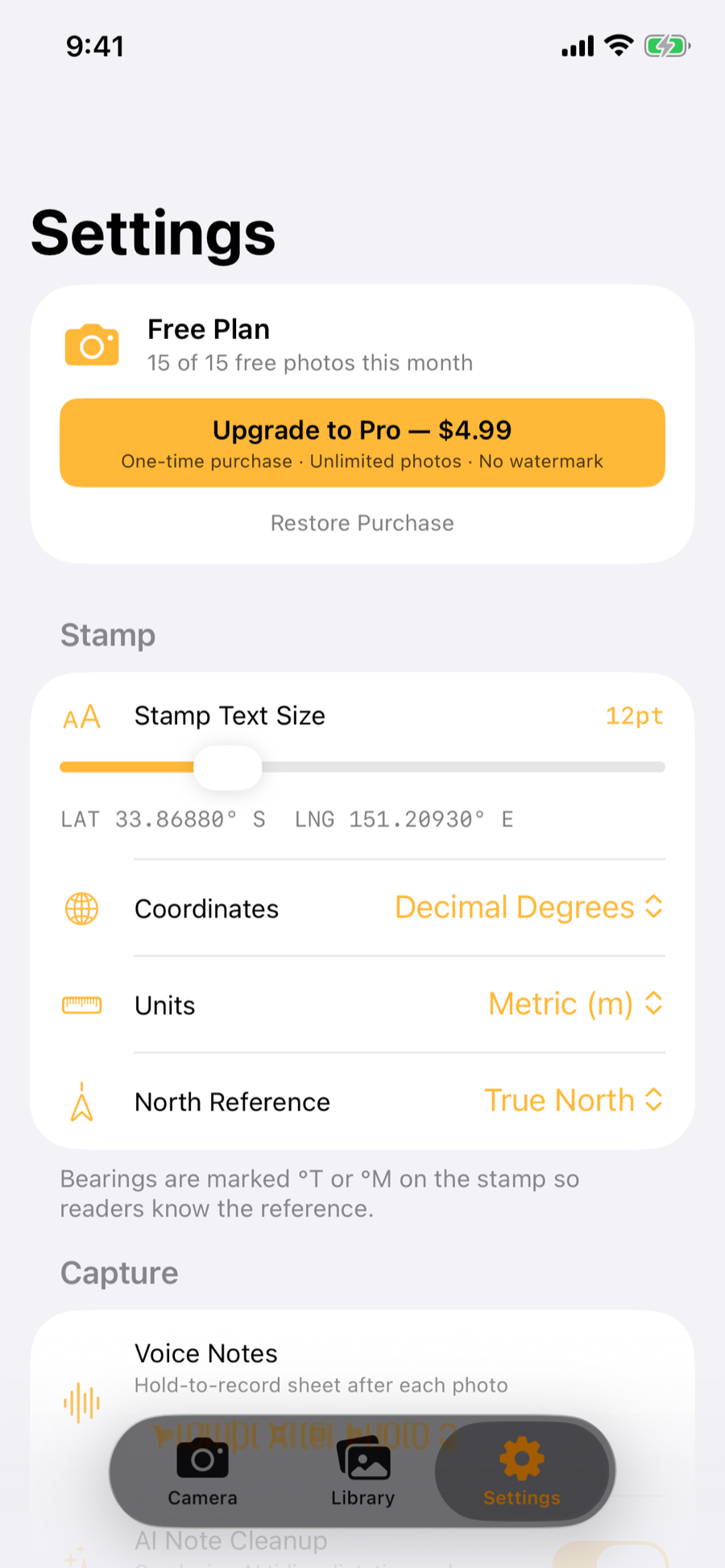
  • Stampr Pro: US $4.99 one-time
Download on the App Store →

Stampr for Android

Requires Android 10 or later.

  • Local-only storage: nothing is uploaded anywhere, by design
  • On-device transcription with Whisper (one-time ~32 MB model download, works on every phone), AI cleanup on phones with on-device AI
  • Optional OpenStreetMap inset on the stamp, editable addresses
  • Quick Settings tile and home screen shortcuts
  • Stampr Pro: US $9.99 one-time
Get it on Google Play →
Project files travel with your team. Both apps pack a whole job (photos, originals, voice notes, and metadata) into a single .stamprproj file you can hand to a teammate, and importing never creates duplicates. Today project files move between iPhones and between Android phones; Stampr for Android already uses the cross-platform file format, and iPhone-to-Android exchange arrives with a coming iOS update.

Free to start. One payment to unlock everything.

No subscriptions. No hidden fees. Pay once, use forever.

Free

$0 forever

15 stamped photos or videos per month with all core features.

  • GPS stamping & voice notes
  • Project organisation
  • PDF reports & data export
  • 15 photos or videos/month
  • Custom watermark & logo

Common questions

Yes. GPS stamping and voice note transcription work entirely offline. Street address lookup requires an internet connection, but coordinates will always be stamped even without cell signal.

Yes. Switch the camera to video mode and Stampr records a clip with the GPS stamp, address, bearing, and time burned into the footage, frozen at the moment you start recording. The soundtrack is transcribed on-device into a searchable note, and the video files into the same projects, PDF reports, and exports as your photos.

Yes. Stampr does not collect or transmit any personal data to us. There are no analytics, no tracking, and no accounts. On Android everything stays on your device. On iPhone your photos and notes can also sync through your own private iCloud, which we cannot access, and you can turn that off in Settings.

Everything except custom branding. You get GPS stamping, video recording, voice notes, AI cleanup, project organisation, PDF reports, and all export formats. The free tier includes 15 stamped photos or videos per month with a small "Stampr" watermark.

No. Stampr Pro is a one-time purchase: US $4.99 on iPhone, US $9.99 on Android. Pay once, use forever. No recurring charges, no hidden fees.

Stampr exports PDF reports with maps and metadata, CSV for spreadsheets, KML for Google Earth, GeoJSON for GIS tools, and .stamprproj project files for sharing entire projects with teammates.

Yes. GPS coordinates are embedded in the photo's EXIF metadata, so your shots pin correctly in Apple Photos, Google Photos, GIS software, and insurance claims tools, not just as text on the image.

On iPhone, yes. Photos, projects, and voice notes sync through your own private iCloud, so your library carries over to a new phone. You can turn sync off in Settings. On Android, storage is local-only and nothing is uploaded; use project files (.stamprproj) to move work between devices.

Project files move between iPhones and between Android phones today. Stampr for Android already reads and writes the cross-platform .stamprproj format; a coming iOS update adds the same format, which will let mixed iPhone and Android crews trade the same job file.

Yes. Stampr Pro lets you add custom watermark text and upload your company logo. Both appear on every stamped photo and in PDF reports. Great for branded documentation.

Start documenting smarter today

Download Stampr free on iPhone or Android. Upgrade to Pro when you're ready. No pressure, no subscription.

No accounts. No tracking. Your photos stay on your device, or in your own private iCloud if you turn on sync on iPhone.